ORGAN 01 · INDIVIDUAL

Individual AIOS Workspace

A structured home for one person and their agents — governed, versioned, and entirely yours. It works offline on day one; sharing is a separate decision you make later.
A recording: you paste the setup prompt into a coding agent, it clones the toolkit, asks which context you work in, and builds your workspace — six numbered folders, three of which never leave your machine.
  1. $ claude
  2. > Set up AIOS on this machine as a careful onboarding guide. +29 lines
  3. read — inspect, explain, choose, validate, then stop
  4. inspecting — aios onboard --inspect --json · read-only
  5. found — no workspace and no toolkit on this machine
  6. explained — first run · starting from a clean machine
  7. your turn — Personal / Join / Create?
  8. Personal · keep it standalone
  9. Join · connect an existing brain
  10. Create · deploy Team Brain on Railway
  11. > Join
  12. cloned — aios-workspace · dependency-free scaffolder, no packages installed
  13. previewed — 6 folders to create · nothing written yet
  14. your turn — scaffold exactly this?
  15. waiting · nothing is written without approval
  16. > approve
  17. scaffolded — my-workspace · 6 folders, 3 access tiers
  18. the six folders: 0-context (team), 1-inbox (private), 2-work (team), 3-log (private), 4-shared (external), 5-personal (private)
  19. private — 3 of 6 folders never leave this machine
  20. normalized — https://brain.example.com/t/acme to https://brain.example.com
  21. your turn — trust and save this exact Brain origin?
  22. waiting · the URL is not trusted yet
  23. > approve exact origin
  24. validated — GET /api/v1/me · team acme, member tier
  25. ready — workspace connected in under 15 minutes
  26. held — no push performed · sharing remains a later choice
  27. next — aios status · review what is local, blocked, or eligible
Read the full docs →
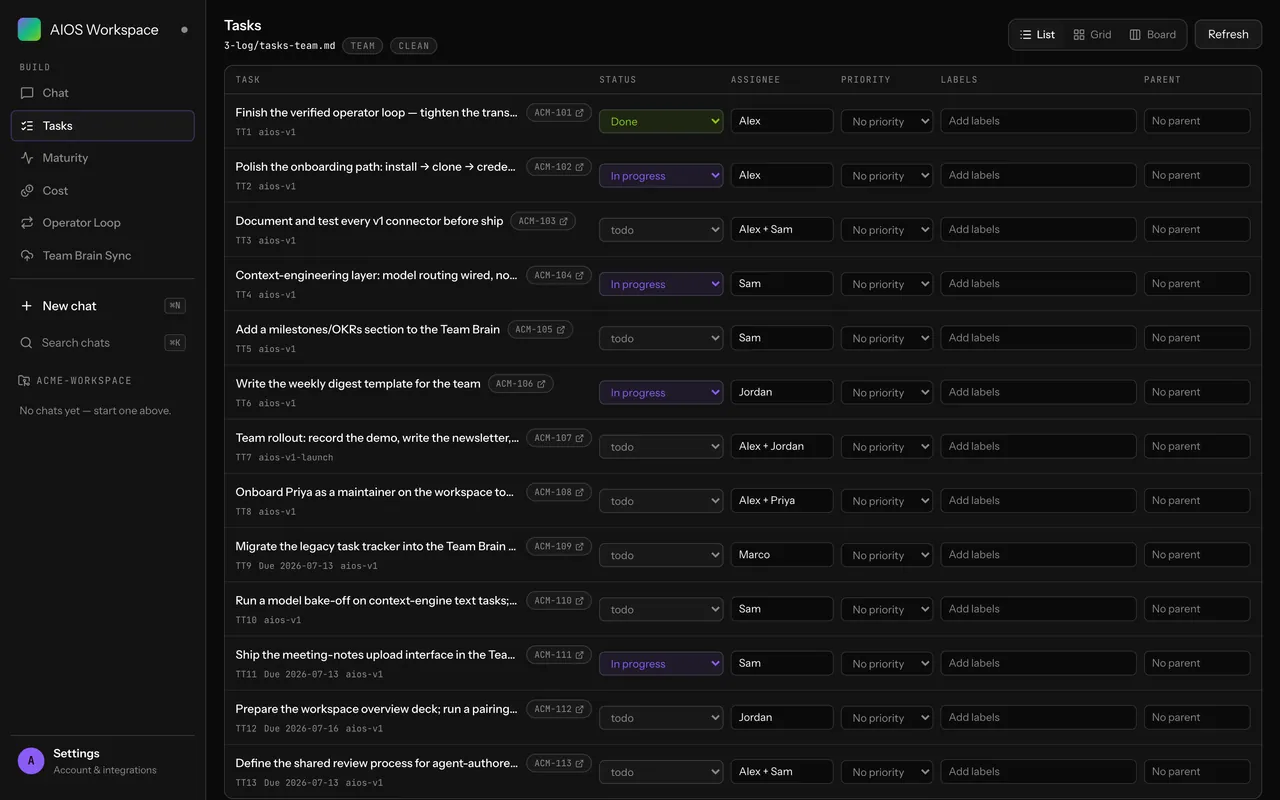
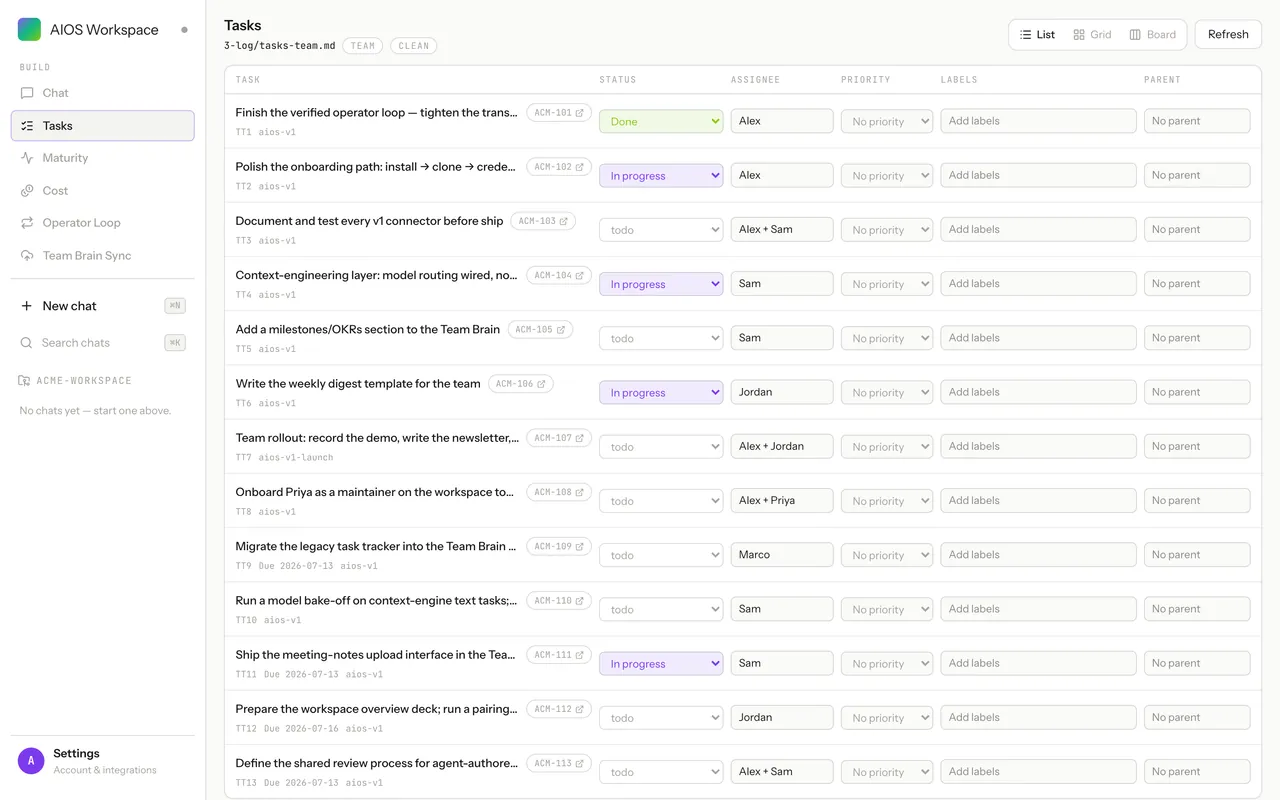
The AIOS workspace GUI: a task list backed by a plain markdown file in 3-log, with status, assignee and tier badges
Your work, in files you own
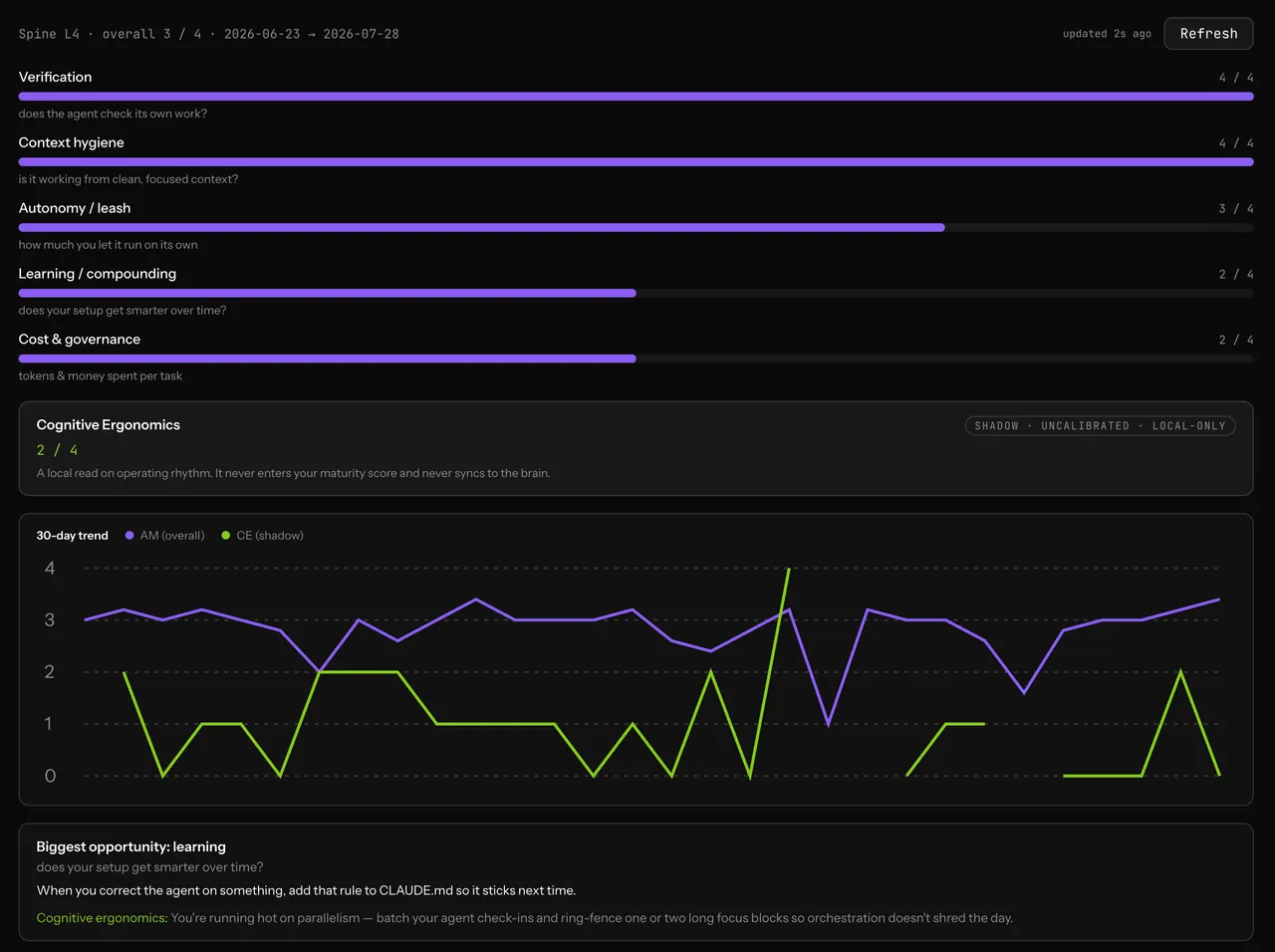
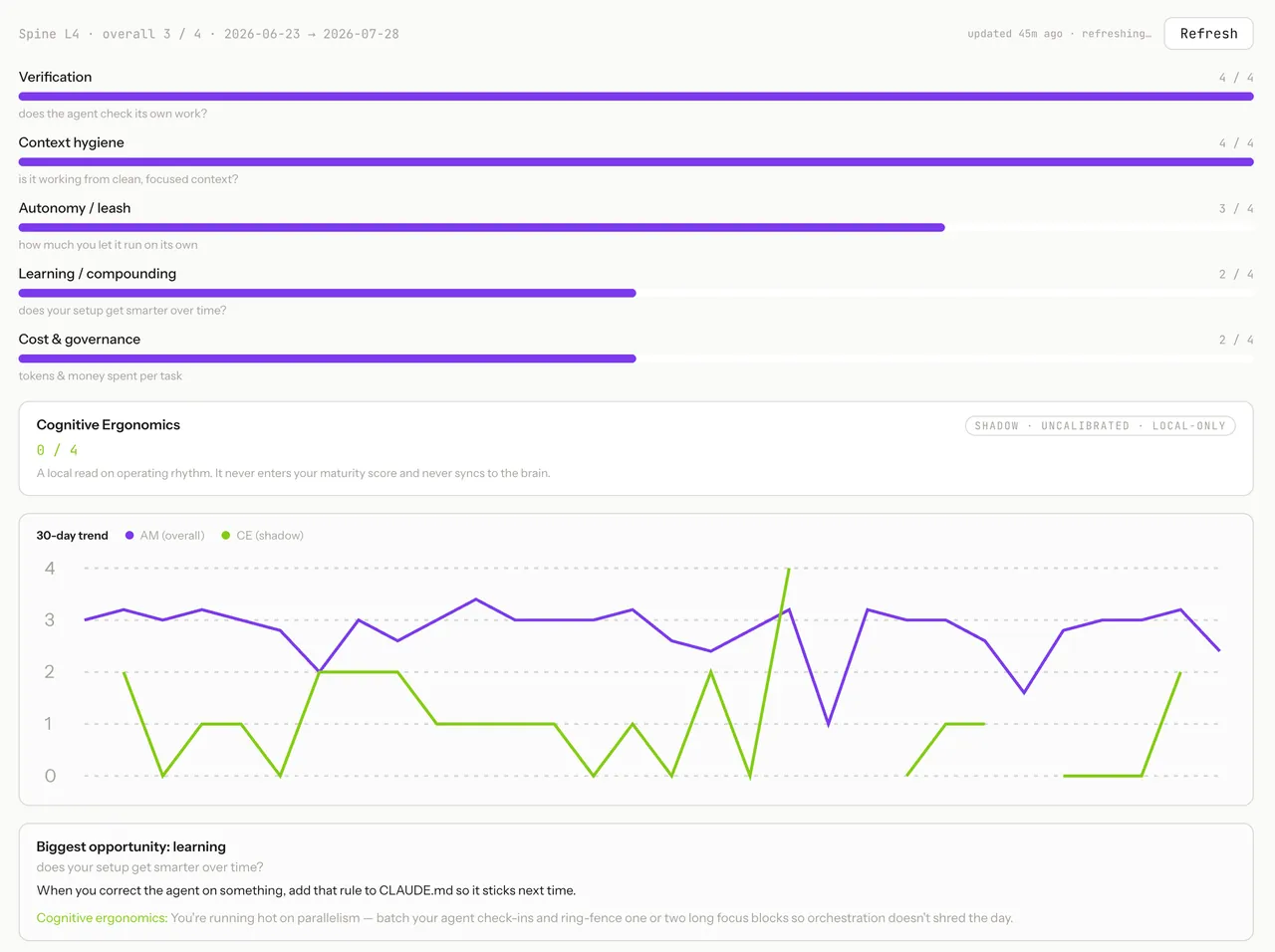
The AIOS workspace GUI maturity panel: five scored dimensions with a 30-day trend chart
How well you and your agents are actually working
What you get

One structured home for one person's agents.

  • A numbered folder spine, governance rules, and fifteen validators — one workspace per person.
  • Bring your own agent — Claude Code, Codex, OpenCode and more — and wire your tools over MCP + CLI.
  • Drive it from the terminal or the GUI. No terminal required.
  • Private by default: nothing leaves your machine until you tag it and push.
  • Yours to run: MIT-licensed, self-hosted, no per-seat pricing.
What it's built on

The same values as the Team Brain.

P1

Modular

Each organ system is independently deployable. Adopt what you need: workspace only, brain only, or the full loop.

P2

Open source

MIT-licensed and self-hosted. Clone the workspace per person, run the brain on your Postgres. No cloud lock-in.

P3

Permissioned

Every action is policy-governed. Teams define what runs autonomously and what requires human approval.

P4

Privacy-first architecture

Individual agent data stays personal by default. The collective brain receives only what members choose to push.

Why not just use a repo?

A blank repo vs. a governed workspace.

A git repo gets you version control. It doesn't get you tiered access, validators, or a structure every teammate's agent can navigate the same way.

Claude Code + GitHub
AIOS
Who can use it
Engineers comfortable living in a terminal
Anyone — a UI puts the agent harnesses one click away
Agent harnesses
Wire up the prompts and glue yourself. Manage across multiple workspaces.
Create a shared harness for the entire team based on best practices.
Structure
A blank repo and whatever conventions you remember
A numbered workspace spine, validators, and governance per person
Ownership
Your repos, your machines
Same — MIT-licensed, self-hosted, no new cloud
Getting started

Up in three steps.

# 1. Clone the stable release and scaffold
$ git clone --branch v0.10.0 --depth 1 https://github.com/aiosbrain/aios-workspace.git aios-workspace && test "$(git -C aios-workspace rev-parse HEAD)" = "5fded34256ad9e7eea4ad28ee50a8f24e1610dc8" && cd aios-workspace
$ scripts/scaffold-project.sh --context employee --slug my-workspace --owner you
$ cd ~/Projects/my-workspace
# 2. Run your first harness (in Claude Code)
$ claude
> /weekly-synthesis
# 3. Push to the team brain
$ aios push
Read the full guide →