MIT Licensed. Self Hosted. Private by default.

The operating system for teams of humans and agents. Open source.

Every person gets a private, governed workspace that runs your team's shared standard, and nothing leaves it unless you push. Everything they do push becomes one team brain, queryable in plain English.

A recording: you paste the setup prompt into a coding agent, it clones the toolkit, asks which context you work in, and builds your workspace — six numbered folders, three of which never leave your machine.
  1. $ claude
  2. > Set up AIOS on this machine as a careful onboarding guide. +29 lines
  3. read — inspect, explain, choose, validate, then stop
  4. inspecting — aios onboard --inspect --json · read-only
  5. found — no workspace and no toolkit on this machine
  6. explained — first run · starting from a clean machine
  7. your turn — Personal / Join / Create?
  8. Personal · keep it standalone
  9. Join · connect an existing brain
  10. Create · deploy Team Brain on Railway
  11. > Join
  12. cloned — aios-workspace · dependency-free scaffolder, no packages installed
  13. previewed — 6 folders to create · nothing written yet
  14. your turn — scaffold exactly this?
  15. waiting · nothing is written without approval
  16. > approve
  17. scaffolded — my-workspace · 6 folders, 3 access tiers
  18. the six folders: 0-context (team), 1-inbox (private), 2-work (team), 3-log (private), 4-shared (external), 5-personal (private)
  19. private — 3 of 6 folders never leave this machine
  20. normalized — https://brain.example.com/t/acme to https://brain.example.com
  21. your turn — trust and save this exact Brain origin?
  22. waiting · the URL is not trusted yet
  23. > approve exact origin
  24. validated — GET /api/v1/me · team acme, member tier
  25. ready — workspace connected in under 15 minutes
  26. held — no push performed · sharing remains a later choice
  27. next — aios status · review what is local, blocked, or eligible
Read the full docs →

Closed platforms are racing to build this. We are building it in the open.

  • Claude Code
  • Codex
  • Cursor
  • Conductor
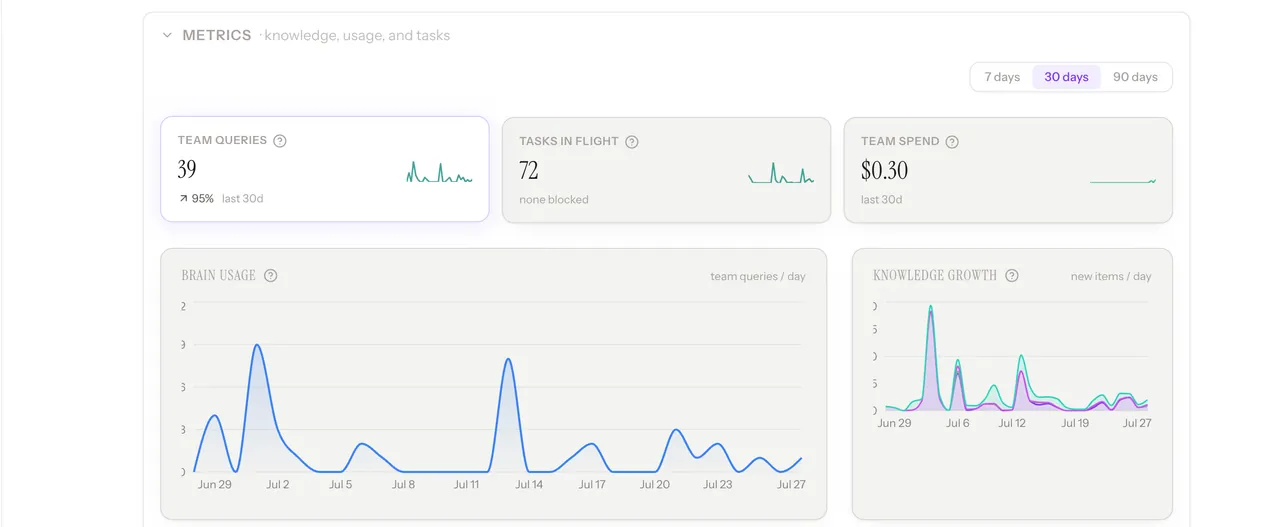
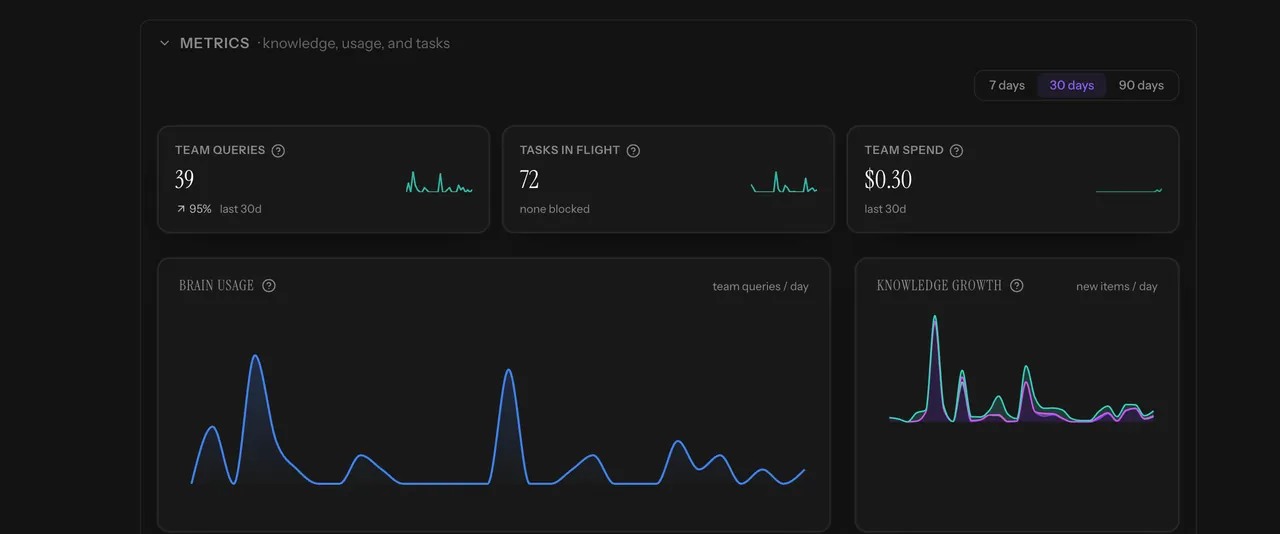
The AIOS Team Brain Pulse dashboard: team queries, tasks in flight, and spend KPIs, brain-usage and knowledge-growth charts, recent decisions, and task execution by status
Team Brain: what the team decided and shipped
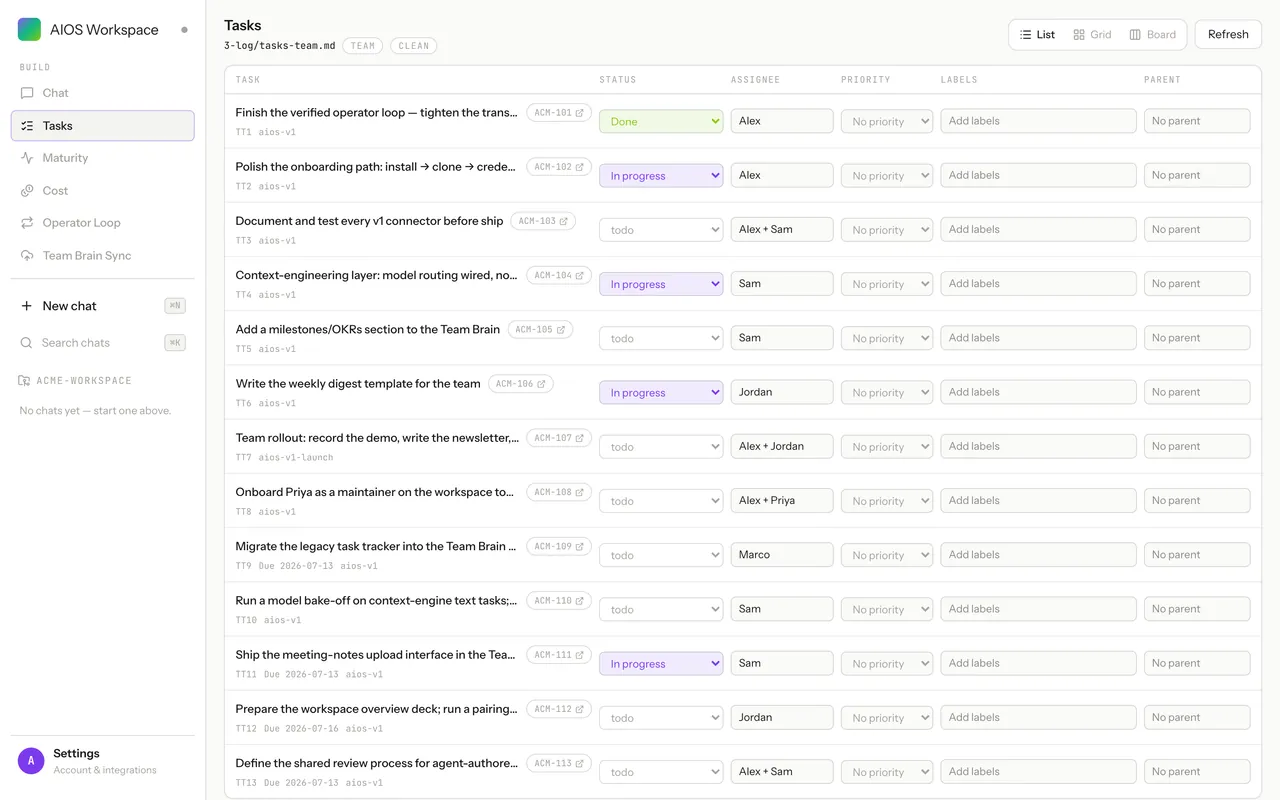
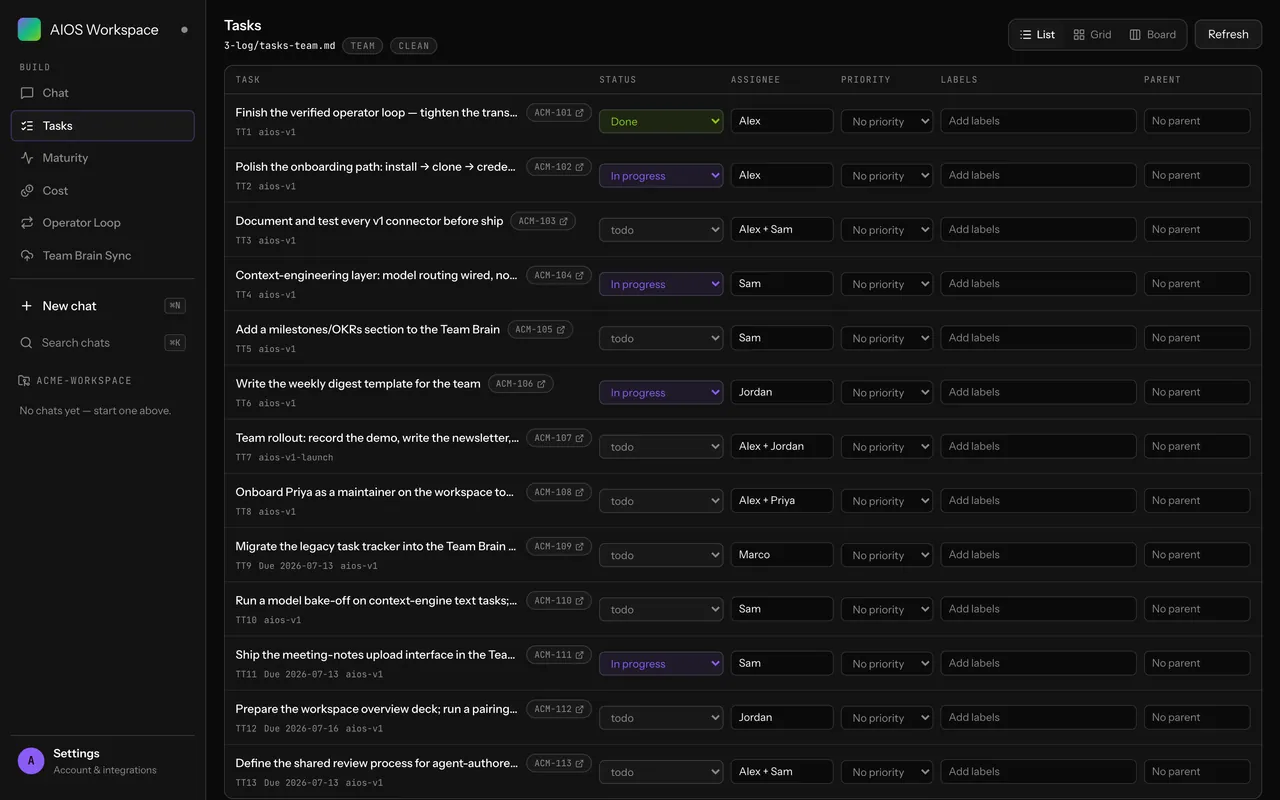
The AIOS workspace GUI: a task list backed by a plain markdown file in 3-log, with status, assignee and tier badges
Individual Workspace: your work, in files you own
10 Tools connected. Chat, code, docs, meetings.
3 Privacy tiers. Private by default.
100% Open source. MIT licensed.
THE PROBLEM

Your team's ceiling was never talent. It was coordination.

Standups, status docs, trackers, retros: an entire industry of ceremony built to approximate an answer nobody could actually retrieve. Expensive, and still a guess. AI is the first thing that changes that math.

  1. 01

    You were always guessing.

    "What is my team working on?" predates agents by about a century. No team has ever had a real answer, just rituals that produce a rough one, at meaningful cost, once a week.

  2. 02

    Now everyone is their own operating system.

    Each person runs their own agents, their own context, their own stack, their own standards, their own throughput. Whatever visibility you had doesn't reach inside anyone's workflow, and the gap between contributors widens every week.

  3. 03

    But the work finally writes itself down.

    Prompts, decisions, tools, outputs: the things that used to live in someone's head now leave a trace by default. For the first time a team can be read instead of reported on. Once a team is legible, the gaps show. Once the gaps show, they close.

This was never about tidier status updates. A team that can see itself compounds.

The system

Two halves. One loop.

Work flows up into a shared context layer; that ground truth flows back to every person and every agent. Everything anyone does becomes context the whole team can act on. That loop is the whole system, and the two halves are just its ends.

One operating system, instead of one per person.

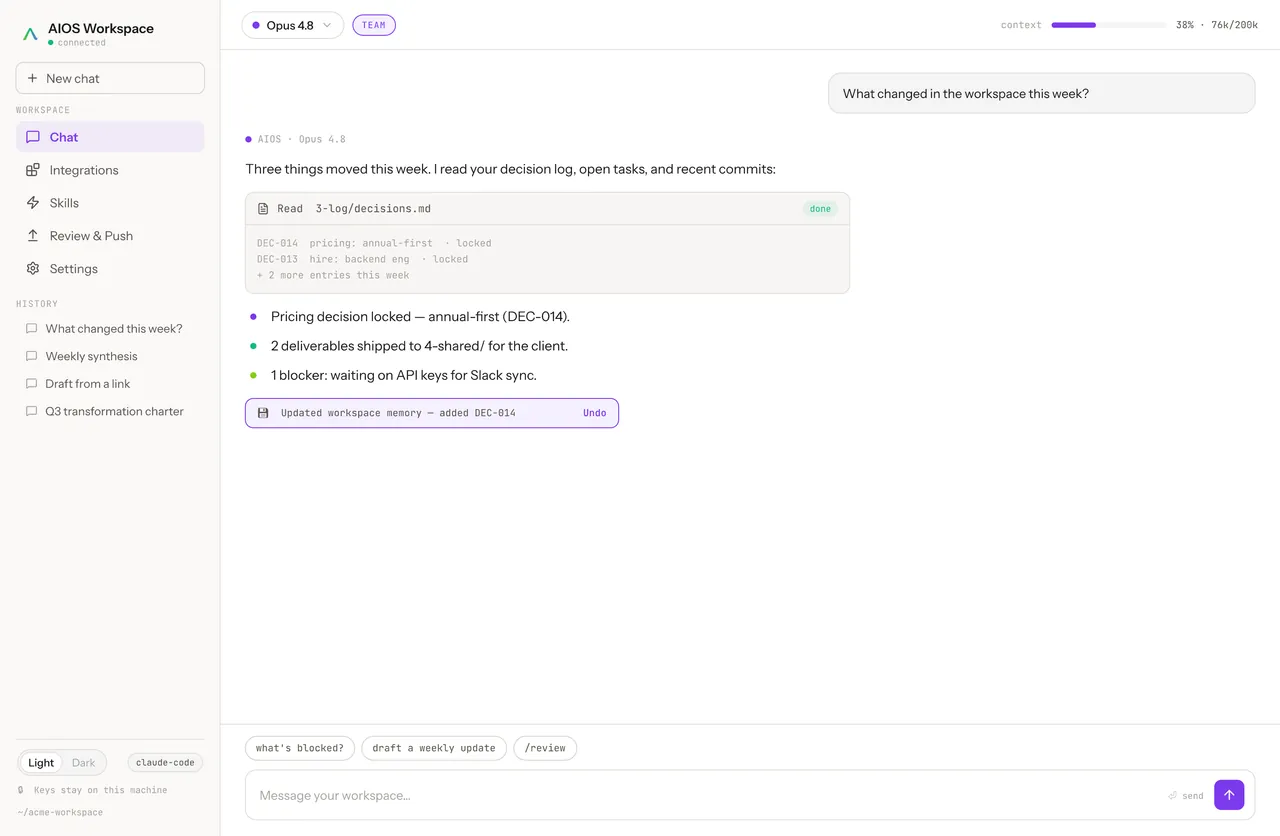
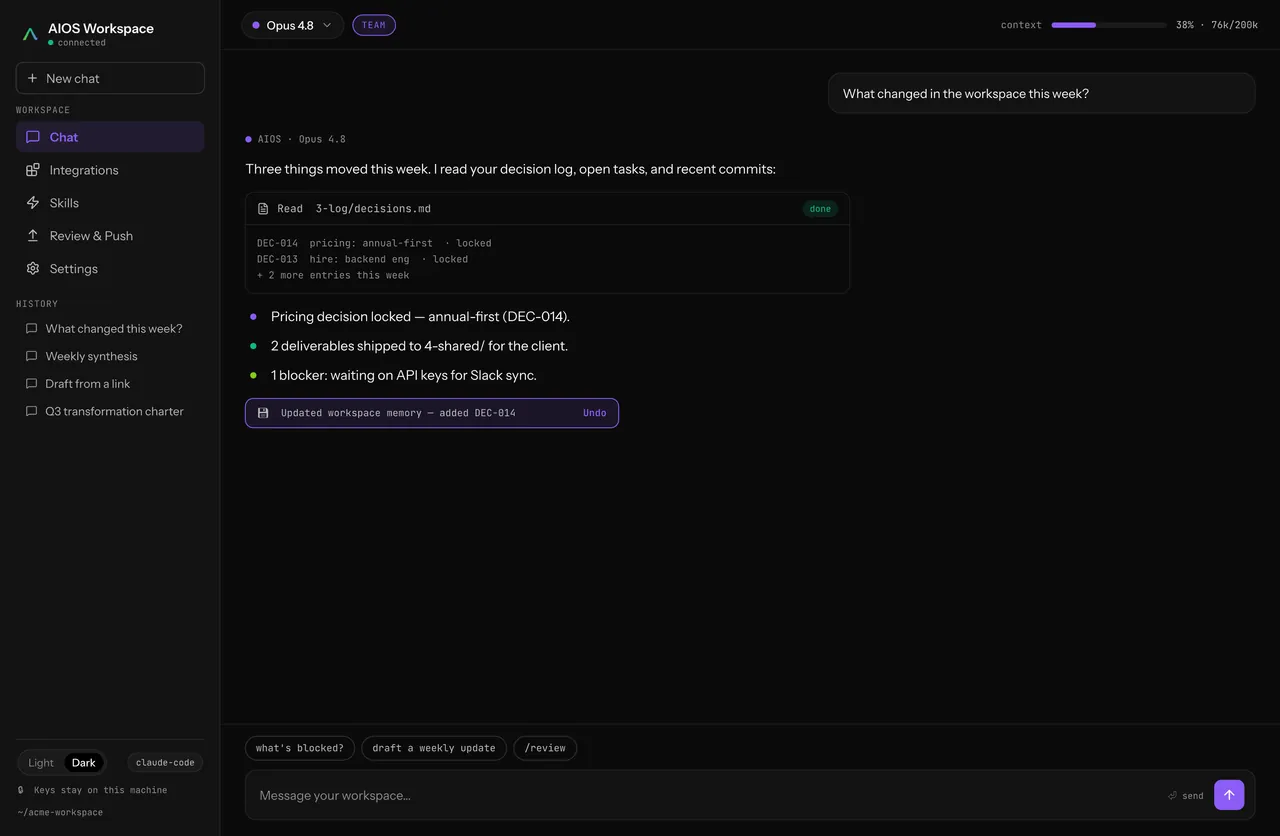
The AIOS workspace GUI: a numbered folder spine, harnesses, and governance rules for one person
FOR EACH PERSON

Individual Workspace

A home for you and your agents.

A structured, governed, versioned workspace that lives in your terminal, for one person and everything they run. Your prompts, your context, your tools, your outputs, organized instead of scattered across a dozen terminal sessions and chat windows.

It works alongside the harnesses you already use, Claude Code, Cursor, Codex, and the next one, instead of replacing them. Private by default: you decide what becomes team knowledge, and when.

  • Lives in your terminal: a structured CLI workspace, not another app to live in
  • Runs with your harnesses: Claude Code, Cursor, Codex, and whatever you run next, side by side
  • Governed and versioned: every change to your setup is tracked, not lost
  • Self hosted and MIT licensed: it runs on your machine, under your terms
Learn more →
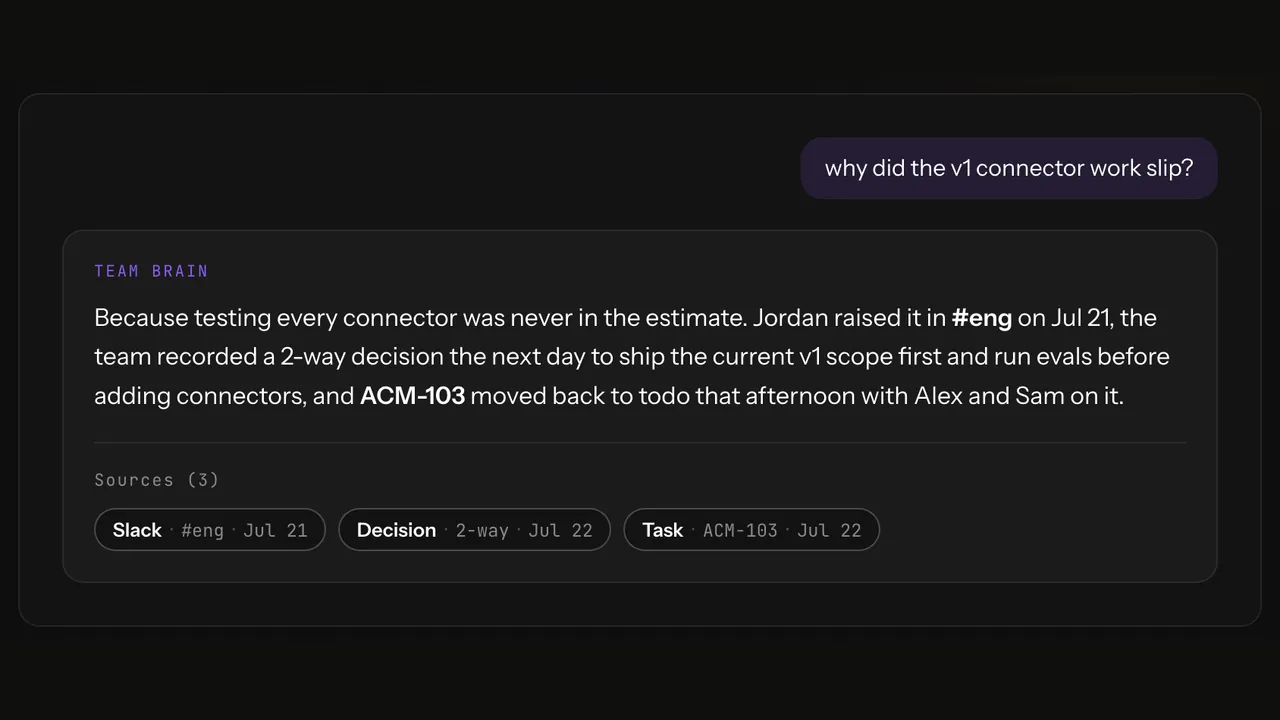
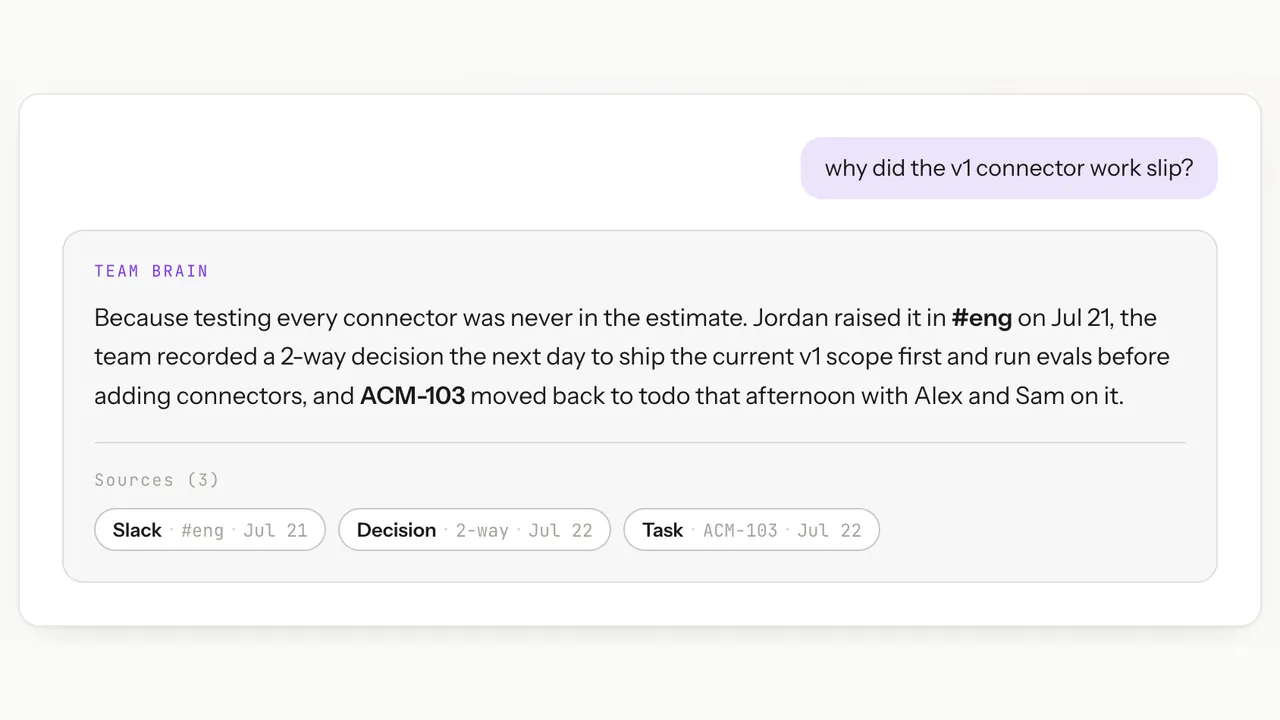
The AIOS Team Brain answering a plain-English question about why connector work slipped, with its three sources shown: a Slack thread, a recorded decision, and a task
FOR THE TEAM

Team Brain

A shared context layer for humans and agents.

It ingests everything the team produces, messages, documents, decisions, code, and context, and turns it into one robust context layer you can query like a colleague: a living substrate of ground truth, instead of knowledge scattered across a dozen tools.

That layer powers two things at once. Coordination, so people can see what others are doing and work together without status meetings. And automation, giving your agents a shared source of ground truth they can act against and keep up to date.

  • Ingests everything: messages, documents, decisions, and code become one queryable context layer
  • Coordination: see what the team is doing and where work overlaps, without status updates
  • Automation: agents act against shared ground truth and write their results back
  • Three tier privacy: admin, team, and external, so contributing never means over sharing
Learn more →