
In November 2025, a developer named Peter Steinberger released a self-hosted AI agent gateway called Clawdbot. It went through a couple of renames before landing on OpenClaw, and crossed 100,000 GitHub stars within two months, one of the fastest-growing open-source projects anyone had seen. Overnight, people who had never touched a terminal were running their own agent, wired into their own email, their own calendar, their own tools.
That explosion is real, and it’s not slowing down. Most people who work with agents are somewhere on a curve: copy-pasting prompts into a chat window, then learning to engineer context, then building structured automations and agent workflows, then orchestrating multiple agents at once. Individually, that curve is one of the best trades in modern work. Garry Tan, who runs Y Combinator, put a number on it earlier this year: in YC’s Winter 25 batch, a quarter of the companies had codebases that were 95% AI-generated, and that batch became the fastest-growing, most profitable batch in YC’s history.
Tan’s argument is that every company needs a brain: a place that holds what the organization knows, so an agent never has to re-ask what’s already been figured out. He’s right. But listen to how he describes building his own, a 220,000-page personal library pulled from his own email, meetings, and twenty years of notes, and you notice something. It’s his brain. Every example in that talk, the finance person at YC who collapsed a hundred spreadsheets into an app, the founder who gets a crisis email answered by an agent that already knows the history, is one person and their own agent. Nobody in that room was describing what happens when five of those brains have to agree with each other.
That’s the part we’ve spent the last year on.

What happens at team scale
Working with an agent on your own is amazing. Put five people in a room, each running their own agent the way Tan describes, and it breaks down fast.
- Context bloats. Every agent’s context balloons on its own, and no two people are working from the same picture.
- Tools entangle. MCPs, APIs, CLIs, and sync tools pile up until keeping them aligned costs more than the work itself.
- The speed gap widens. Contributors with agents move ten times faster than those without. With no shared structure, that gap creates chaos, not momentum.
- The team drifts. People tunnel into execution and lose the thread on OKRs and customers. Speed in the wrong direction is just faster waste.
Five separate brains produce five separate versions of what’s true. Someone answers a question their teammate’s agent already answered that morning, differently, because neither agent had what the other knew. The tax used to be “not enough hours.” Now it’s “not enough shared context,” and it shows up as meetings, re-explaining, and work redone because nobody noticed it had already been done. (I wrote about why the old operating model breaks in Beyond the Sprint.)
None of this is only a tooling problem. Becoming AI-native is a human one. Leadership has to actually decide to do it, then create the space and conditions for people to learn. Working with agents is a maturity spectrum, and people need tooling that meets them where they are, not a terminal they were never going to open.
There’s a coordination problem too, and it shows up quickly. Agentic teams move at a velocity the rest of the org simply can’t match. If only the terminal-comfortable engineers can keep up, the team splits in two. Everyone needs a way to work agentically and stay coordinated, whether or not they live in a command line. And left alone, everyone reinvents the same harnesses and skills to do the same jobs, with the best patterns stuck on one person’s machine.
AIOS is the layer on top that addresses this: an individual brain for every person, built the way Tan describes, and one shared Team Brain that lets those individual brains agree with each other. You keep your runtime, your editor, your stack. Claude, Claude Code, Cursor, Codex, whatever you reach for. AIOS gives that work a shape the team can share.
It’s two repos, one system. There is no third moving part to manage, and it’s Open source and self-hosted: you decide what leaves your machine.
I wrote the fuller story of how this got built, starting with a client engagement that had nothing to do with AIOS yet, on my own site.
How it works
Each person works in a numbered folder spine: context, inbox, work, log, shared, personal. The same six folders every time, so an agent always knows where it is and where things go.

Everything you create carries an access tier, and the tier decides what is private, what reaches the team, and what goes to clients or the wider company. Nothing leaves your machine without a push.

team tier
Charters, deliverables, working docs. This is the shared layer: tasks, decisions, and memory the whole team can query in plain English.
- Syncs?
- Syncs to the team brain
- Visible to
- Everyone on the team
The shared tier is where the team brain comes in. Pushed work becomes shared memory: tasks, decisions, deliverables, all queryable in plain English across the whole team. One place to ask what’s happening, instead of ten.
What we’re shipping
A few concrete pieces are live today.
The individual workspace
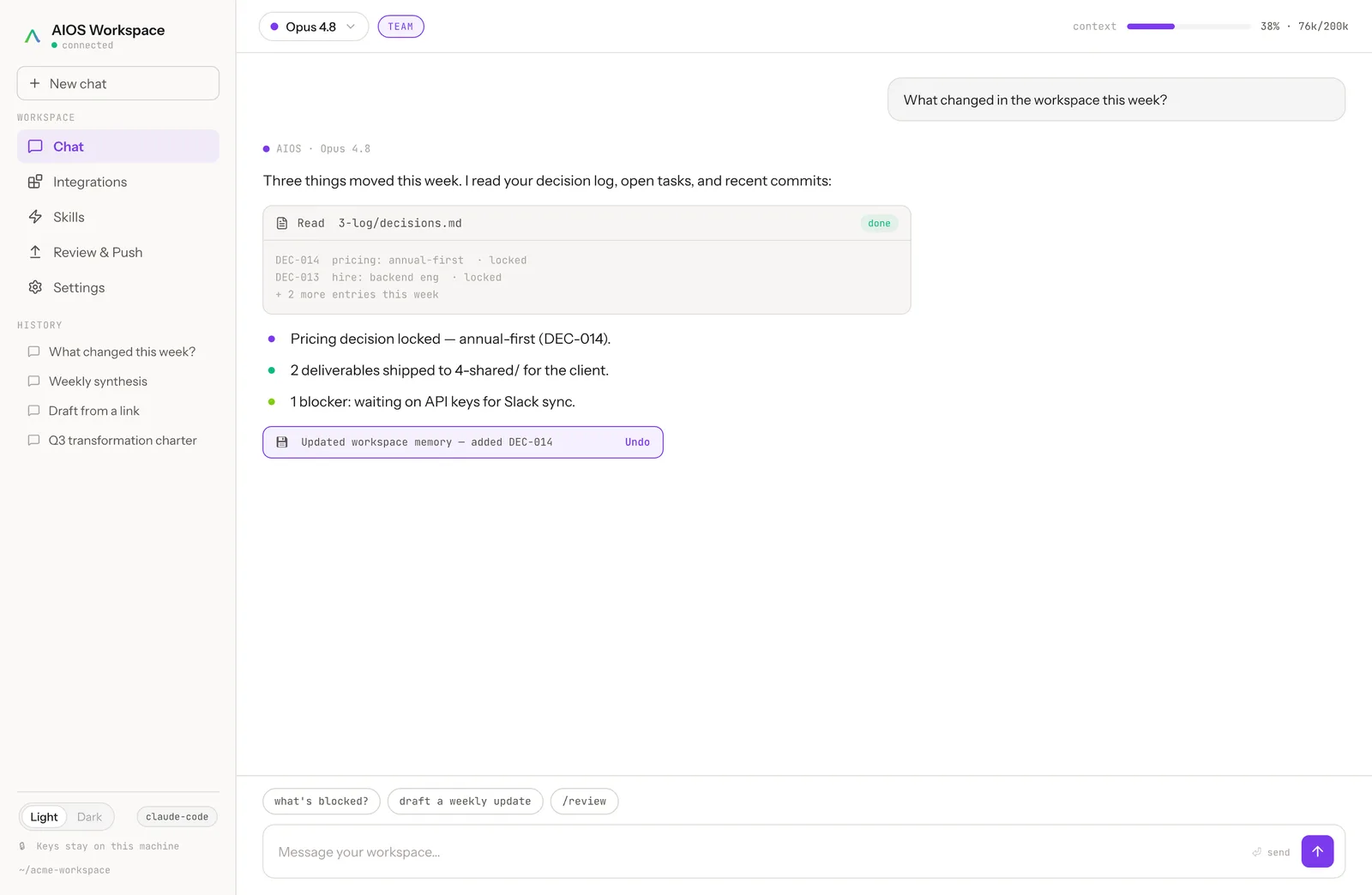
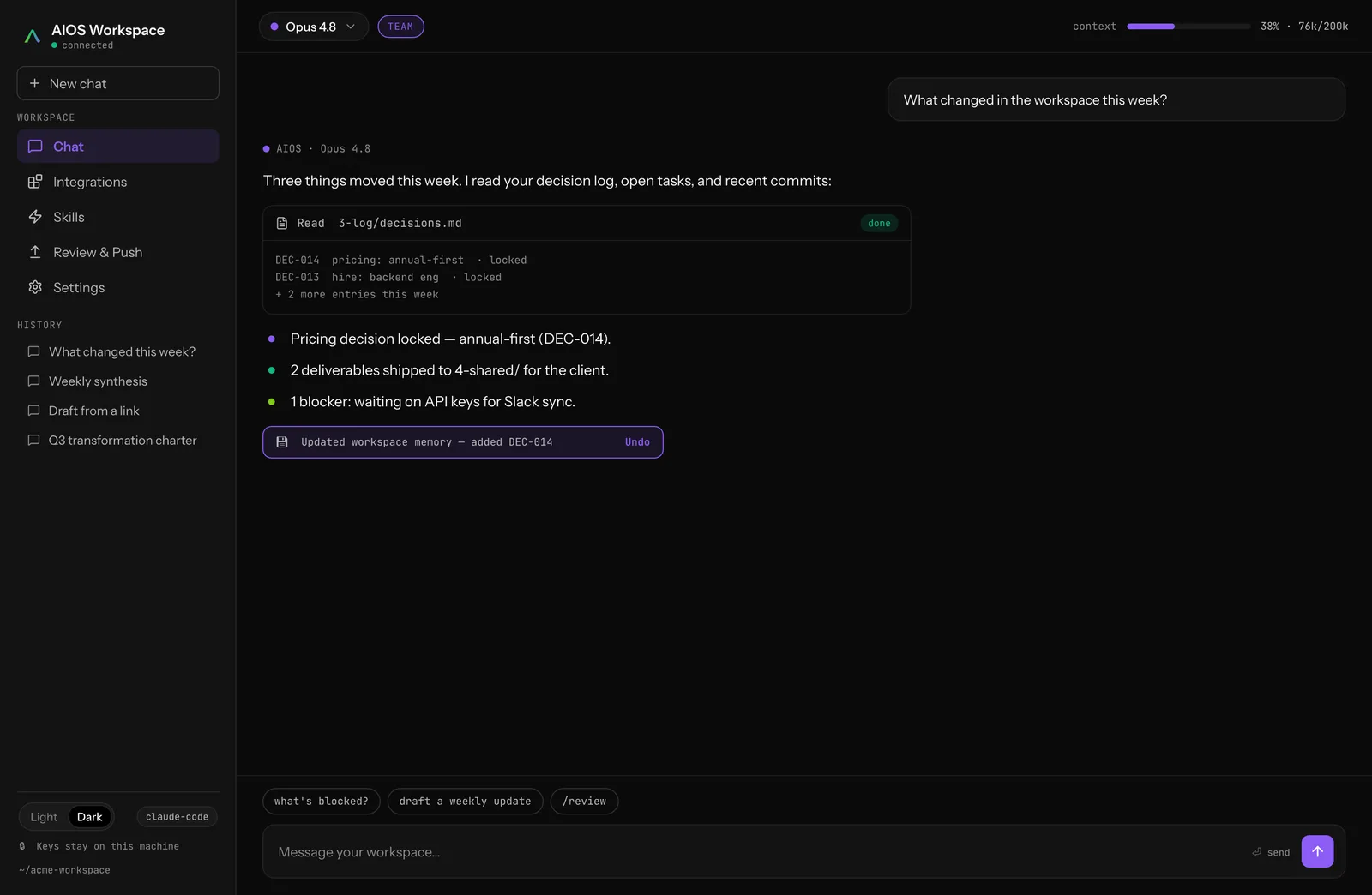
Scaffold a workspace in a few commands and you get the numbered spine, governance conventions, validators, and multi-agent harnesses out of the box. There’s a UI as well, so people who don’t live in a terminal get the same harnesses, connections, and memory one click away. And when someone finds a harness or skill that works, the AIOS MCP syncs it to the rest of the team, in Claude Code, Claude Desktop, Cursor, wherever they work, so the best patterns spread instead of getting reinvented.
The team brain
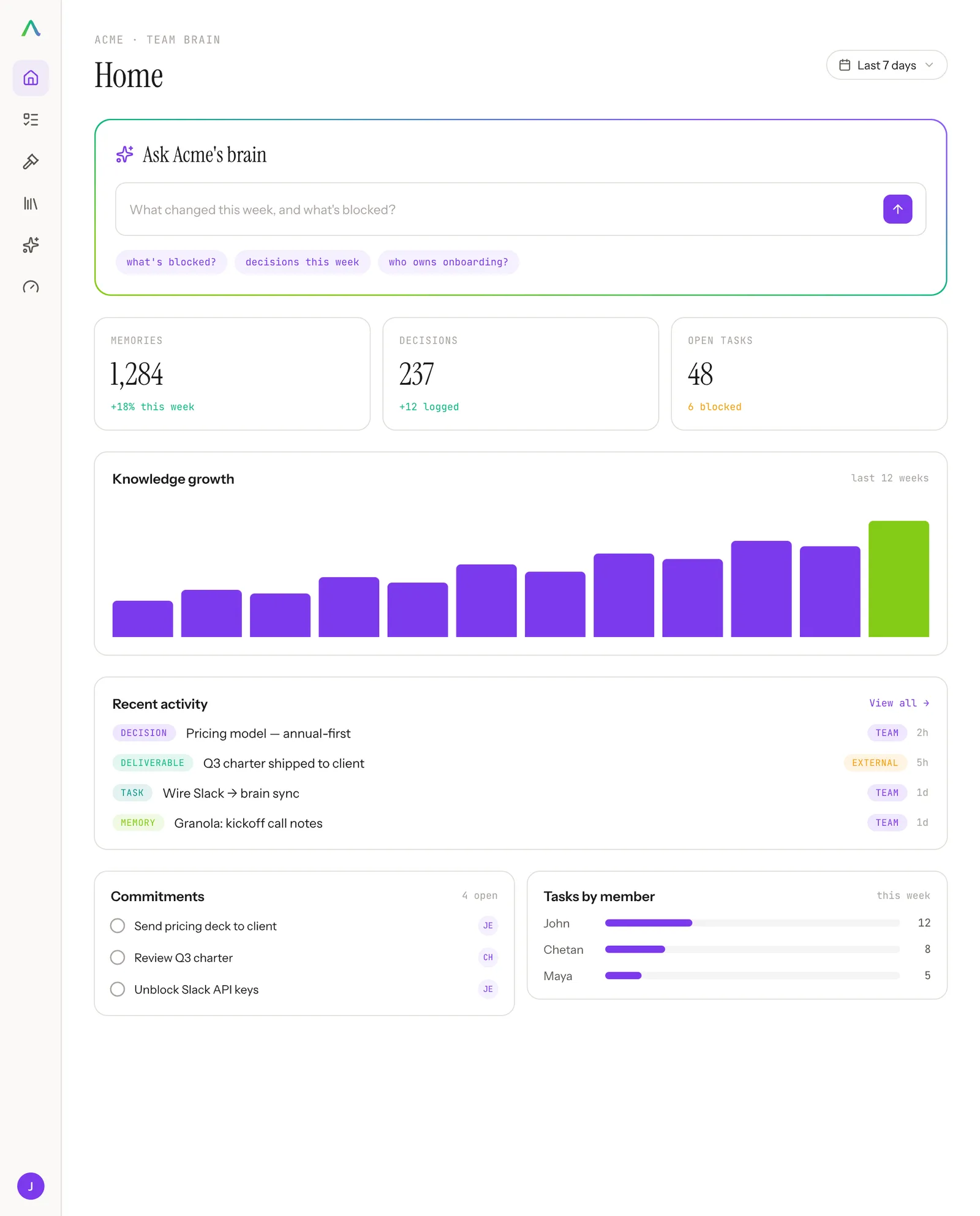
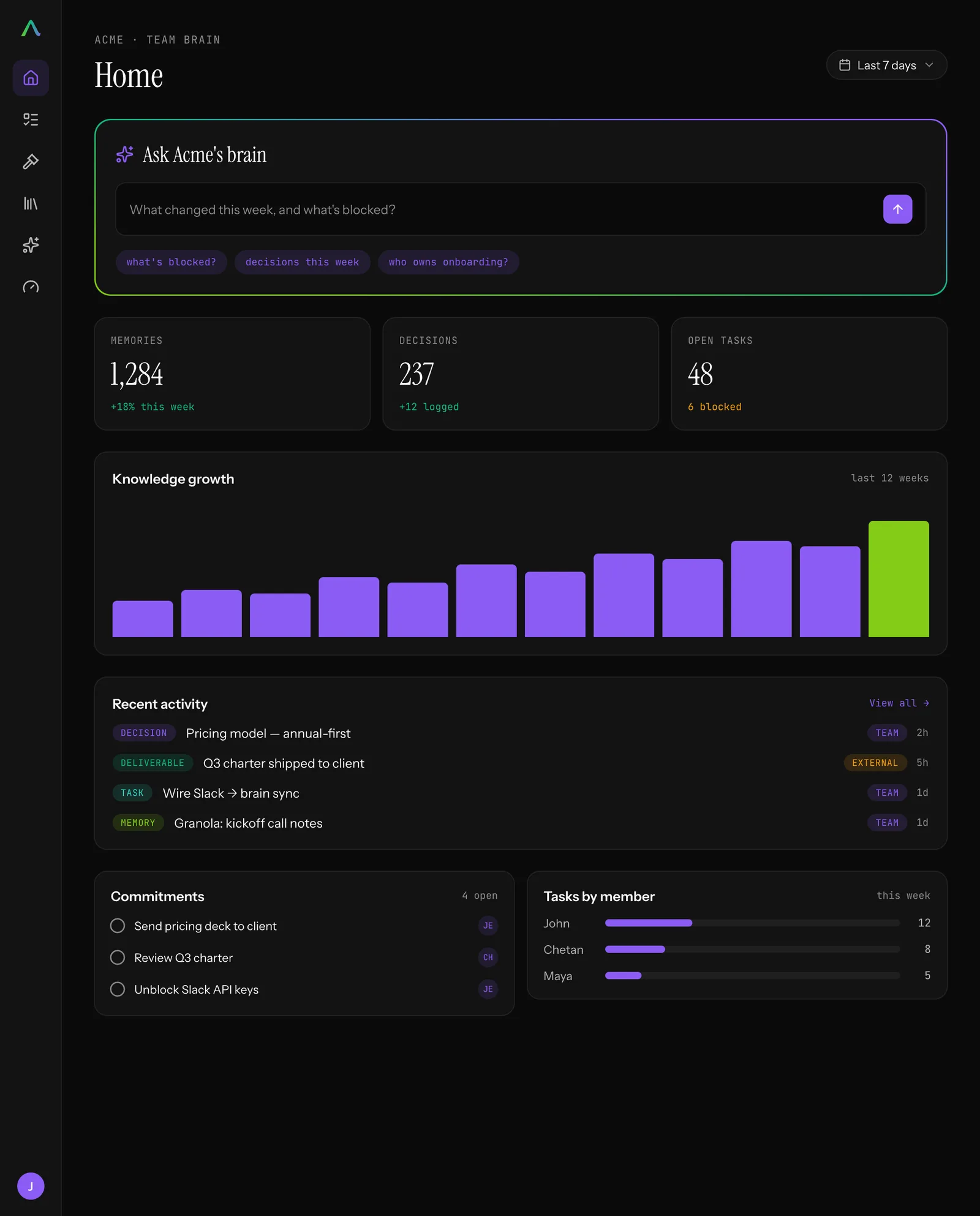
A shared hub that receives tier-tagged pushes from every workspace and turns them into shared memory: tasks, decisions, and deliverables you can query in plain English. It holds the team’s OKRs and KPIs next to the work, so people prioritize against the real, current state instead of a status meeting. Scope and drift guards flag when a workstream wanders off the top-level goals.
The Insights Engine
The newest piece, built by my co-founder Chetan. A context engine that learns from everything flowing through the brain and surfaces the signal: the patterns worth copying, the work that’s drifting, the context each person needs next. It’s where some genuinely interesting ML lives, and it’s what turns shared memory into something that actively makes the team smarter.

It all pulls into the tools you already use: Slack, GitHub, Linear, Notion, Granola, and more.
It’s public today
We shared this quietly with a small group first. Both repos are public now, the alpha is very much a work in progress, and we’d rather hear where it breaks than wait until it’s polished.
Where this is going
We’re building in public, and the direction is a flywheel. The more context flows into the brain, the smarter it gets; the smarter it gets, the better the skills people build; the better the skills, the more context flows back. What Claude Code did for individual agent productivity, we want AIOS to do for a whole team.
A few of the things on the way:
- Learning journeys. We built a readiness assessment and tailored training to a person’s role and where they sit on the maturity curve. Those become learning journeys inside AIOS, across 20-plus job functions, so people level up in whatever tool they already use.
- Real-time coaching. Every agent session gets evaluated for token efficiency and impact, with targeted feedback on becoming a more effective agentic engineer.
- Toward orchestration. As agents take on more of the execution, even running the board, people move up into orchestration. The division of labor shifts for good.
- A public, live roadmap board, so this list stops living in a blog post.
If you want to try it, get the workspace. If you want to shape it, the project is on GitHub. Either way, the RSS feed will keep you posted, and the parts that are still rough will show up here too.